Cafe game design: the order-to-pickup customer flow
Every cafe game runs on one loop: arrive, order, wait, collect, sit, leave. How to turn that loop into states, lay the shop out as a path, and show every step without a single menu.
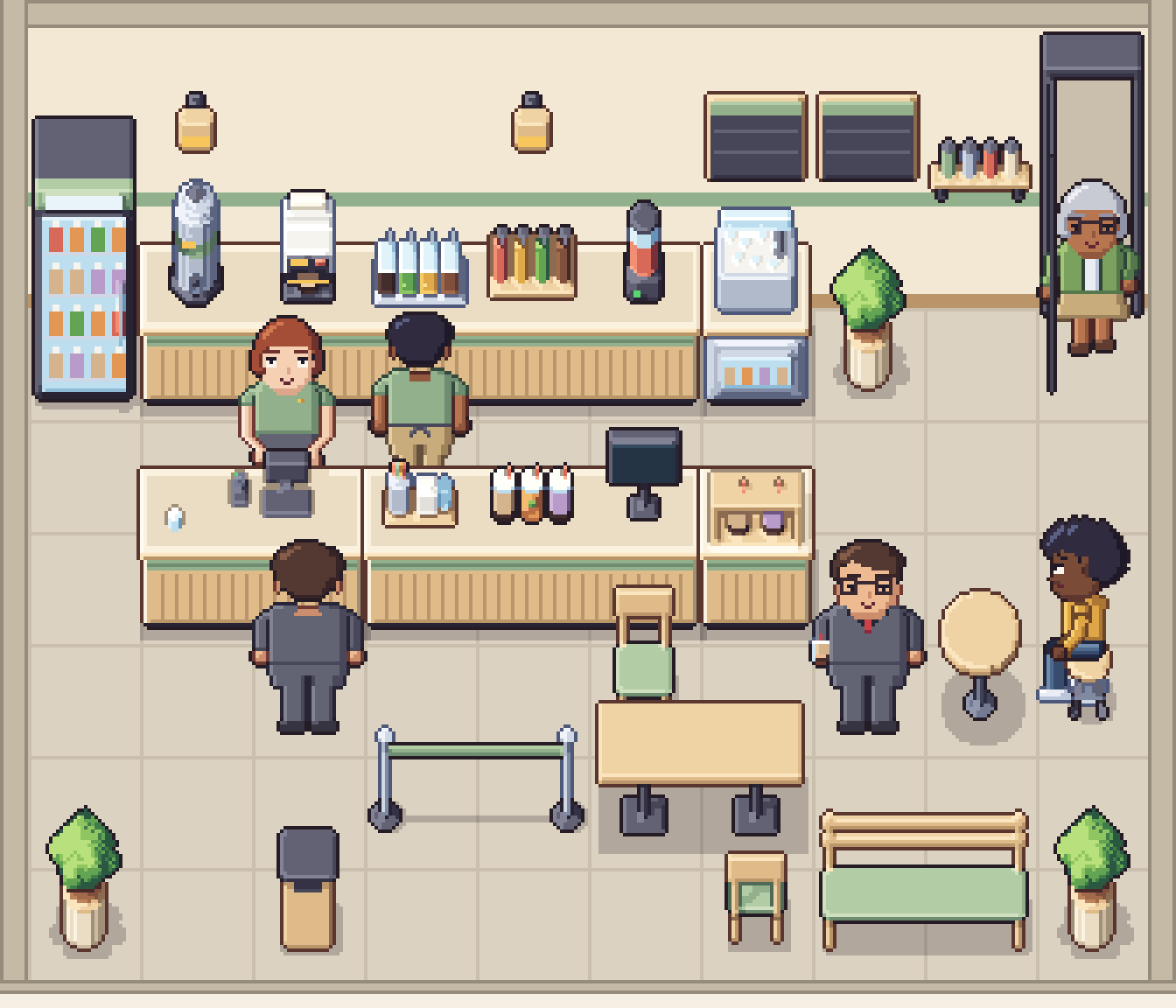
Every cafe, bubble tea or restaurant game runs on the same small loop: a customer comes in, orders, waits, collects a drink, maybe sits down, and leaves. A common first step in "how to make a cafe game" tutorials is to get that loop working for one customer. That is the right place to start, but it skips the design question that decides whether the game is readable: can the player tell, at a glance, where every customer is in the loop?
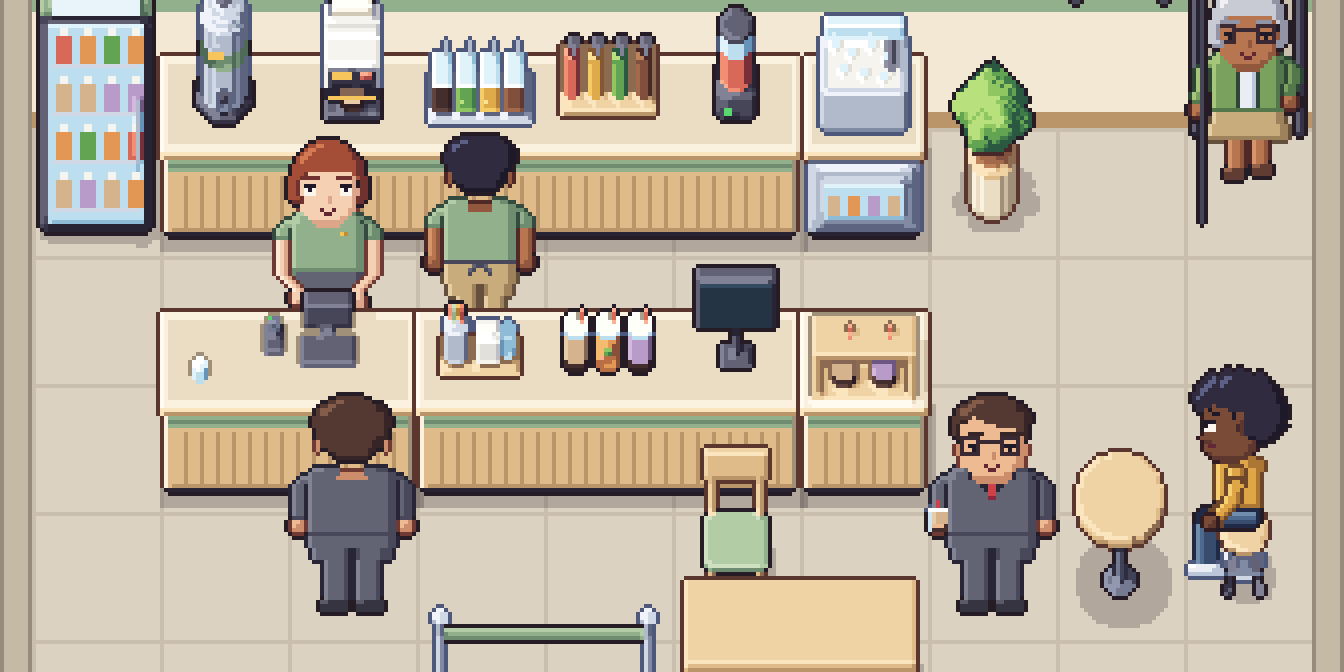
In a top-down management game the answer comes from the room, not from the interface. This post walks through the flow we planned for our bubble tea shop: the states, the layout that turns them into a path, the staff side of the counter, and how each step shows on screen.
Write the flow as states first
Before placing a single counter, list the states a customer goes through. Each state should have one place in the room and one pose on screen. If you cannot point to where a state happens, the player cannot either.
| State | Where | What the player sees |
|---|---|---|
| Enter | The door | The door opens, the customer walks in |
| Queue | A marked line in front of the till | Customers standing one behind the other, facing the counter |
| Order | The till | The cashier typing; the customer at the front of the line |
| Wait | Beside the pickup point | Customers standing aside, out of the queue |
| Make | Behind the counter | A worker at a station, a machine running |
| Collect | The pickup counter | A drink appears; the customer now holds a cup |
| Sit or leave | Seats, or back to the door | Seated idle at a table, or walking out with the drink |
Two of these are easy to skip and expensive to add later. Wait needs its own spot, or customers who have paid block the people who have not. Collect needs a visible change on the customer, or players cannot tell who has been served.
Lay the room out as a path
Once the states have places, connect them in order and you have the floor plan. A good cafe layout reads like a sentence from the door to the seats:
- Door on one side.
- Queue running from near the door to the till, marked with a barrier so the line has an obvious direction.
- Till at the end of the counter nearest the queue.
- Pickup at the other end of the counter, as far from the till as the counter allows.
- Seats beyond the pickup point, so seated customers never sit in the line.
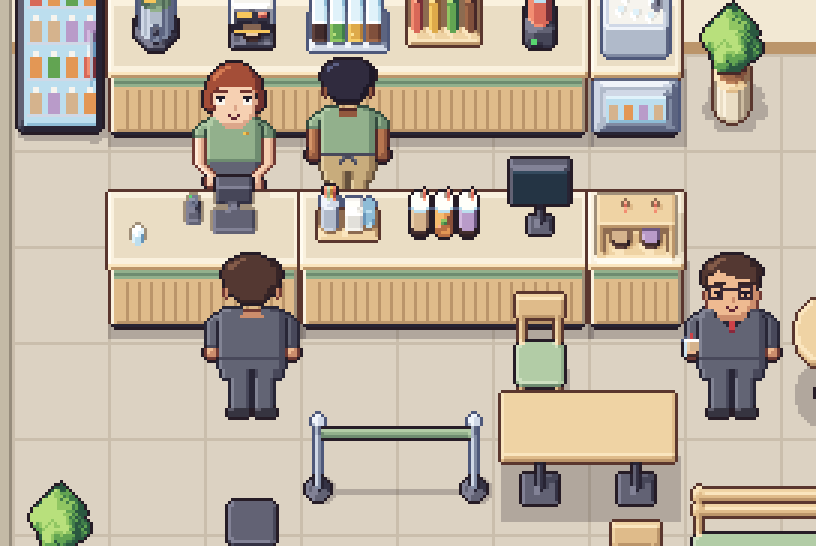
Putting the till and the pickup point at opposite ends of one counter is the single most useful decision. It splits customers into two groups that never mix: those still in line and those already served. It also makes the counter itself a progress bar. The further along it a customer stands, the closer they are to their drink.
Put the make line in recipe order
Behind the counter, arrange the stations in the order a drink is made. For bubble tea that might be cups, tea, toppings, syrup, blender, sealer. A worker who walks from one end of the line to the other is then visibly making progress, and a player can see which station is the bottleneck by where staff are standing.
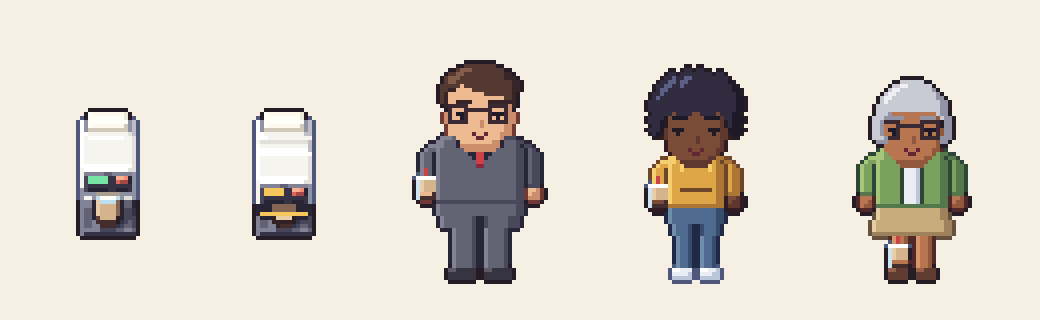
Give at least one station a state the player can see. A cup sealer that changes from idle to sealing is a small animation, but it marks the moment a drink is finished. Our sealer has exactly those two states, and we suggest about 400 ms for each while it seals. That one beat does more for the feeling of a busy shop than a progress bar over the worker's head.
One layout constraint comes from the camera. In a top-down 3/4 view, staff working behind a counter look best facing the camera, so put the staff side at the back of the counter and the customer side at the front. That is also how our counter actions are drawn: typing at the till, waving hello and shaking a drink all face the camera.
Show every state without a menu
Each state needs one visual difference from the one before it. These are cheap to show and do most of the work:
- Queueing: customers face the counter and stand one tile apart. The direction they face says "waiting for the till".
- Ordering: the cashier's typing animation runs only while someone is at the till.
- Making: a worker at a station, and the station's own state change.
- Ready: a drink appears on the pickup counter. Use a finished-drink sprite that is clearly different from empty counter space.
- Served: the customer now carries a cup. This is the most important change in the loop, because it separates the two groups on the floor.
- Impatient: a face that changes after a set time in line. A few frames of an impatient expression tell the player to hire or upgrade before anyone leaves.
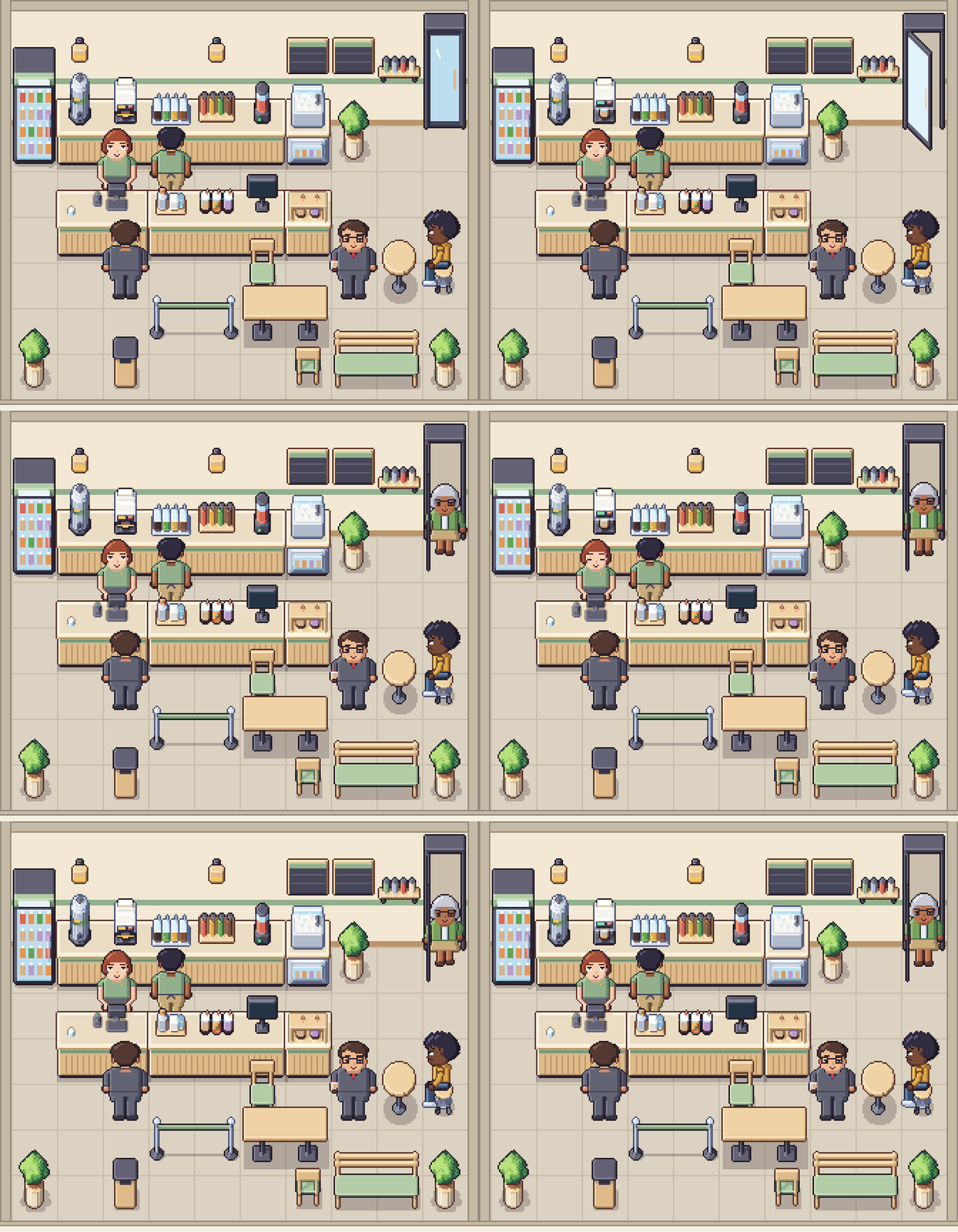
Plan the paths around what your characters can show. Our customers, for example, carry a cup facing east, south or west, but not north, and there is no cup while seated. With the door in the back wall, the last steps out of the shop face north, so decide early what happens to the cup there, and put the drink on the table when a customer sits down. Small constraints like these are much easier to design around before the layout is final than after.
The queue itself
A queue is a list. The customer at the front moves to the till; everyone behind them moves up one spot. A few design decisions sit on top of that simple structure:
- Fixed spots, one tile apart. Customers walk to the next free spot instead of following the person in front. It keeps the line straight and readable at 32px.
- A visible maximum. When the marked line is full, new customers turn around at the door. Players understand "the line was too long" instantly, and it gives them a clear reason to upgrade.
- Patience as a timer. Each customer has a patience value that runs down in the line and pauses at the till. Show it with the face first, and only add an icon if playtesters miss it.
- Waiting is not queueing. Customers who have paid leave the line and stand near the pickup point. Do not make them wait in the line, or one slow drink blocks the whole shop.
Customers in a line are characters you place and move yourself; the art only has to give you clear poses for standing, facing the counter and walking.
Upgrades that change the flow
A cafe tycoon gets its long-term goals from the flow. Each upgrade should shorten one visible line or wait:
- A second till splits the queue in two.
- A second sealer or blender shortens the make time, and the wait area empties.
- More seats keep served customers in the shop longer, which can raise their spending or simply make the shop look busy.
- Longer counters give room for more stations. If your counter is built from one-tile modules that join, as ours are, every upgrade is just one more module in the run.
Checklist
- Every state has one place and one pose.
- Till and pickup at opposite ends of the counter.
- A marked queue with a visible maximum.
- A separate waiting spot for customers who have paid.
- Make stations in recipe order, with at least one visible machine state.
- Served customers look different from waiting ones.
- Seats beyond the pickup point, never in the line.
The pictures in this post come from our Modern Bubble Tea Shop pack. For the draw order of customers sitting in chairs and staff standing behind counters, see Y-sorting with chairs and counters, and for the room as a whole, our layout rules for top-down interiors.
More from the blog
Vibe coding a game? Spend your tokens on code, not art
The code is the quick part now. Here is what the art for one small shop game really adds up to, and why a finished $1.99 pack beats spending your tokens on it.
Read the post
Christmas event ideas for tycoon and shop games
A practical plan for a Christmas event in a tycoon or shop game: pick a size you can ship, add mechanics that reuse your loop, and keep a decorated 32px room easy to read.
Read the post
Y-sorting in top-down games: chairs, counters and overlays
Y-sorting handles walking past furniture, but not sitting in it. Where to put the sort point, why seats break the rule, and the front-overlay draw order that works in every direction.
Read the post