Y-sorting in top-down games: chairs, counters and overlays
Y-sorting handles walking past furniture, but not sitting in it. Where to put the sort point, why seats break the rule, and the front-overlay draw order that works in every direction.
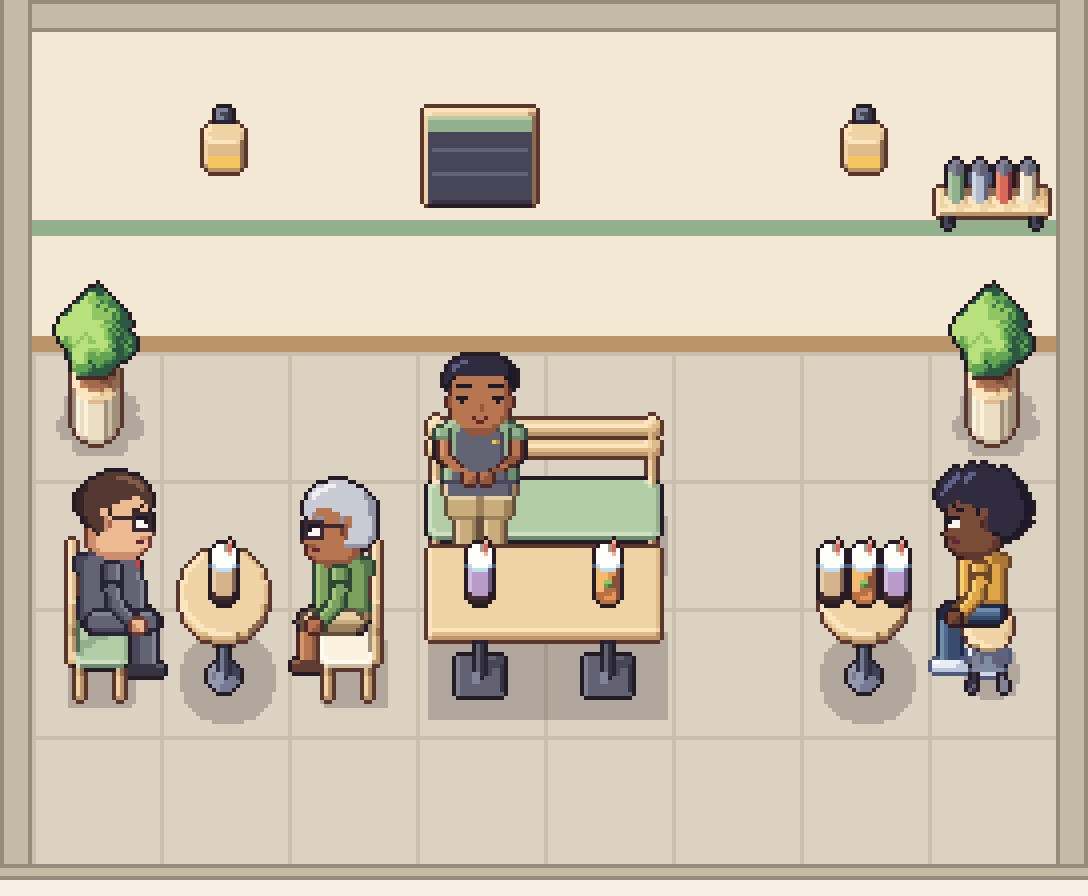
Y-sorting is the first depth trick every top-down game learns: draw things that stand higher on the screen first, and things lower on the screen later, so a character walking south of a plant passes in front of it and one walking north passes behind it. It works beautifully until the first customer sits down. Then they either vanish behind the backrest or float on top of it, and the search for "y sorting not working" begins.
This post explains why that happens, where the sort point should be, and the draw order we use for every seat, counter and door in our 32px packs: object, then character, then a front overlay. None of it depends on one engine.
Y-sorting in one paragraph
Every sprite gets one sort position, usually its y coordinate in the world. Each frame you draw the sprites in order of that value, smallest first. Engines have this built in. In Godot, a node with Y Sort enabled draws children with a higher Y position in front of those with a lower one. In Unity, the 2D sorting settings let you set Transparency Sort Mode to Custom Axis with the axis (0, 1, 0), which the manual describes as useful for top-down games. In your own drawing loop, it is a sort by y before you draw.
The rule is simple. The trouble is always in two details: which point of the sprite you sort by, and what to do when one sprite is partly in front of and partly behind another.
Sort by where things touch the floor
The sort point must be the spot where the thing meets the floor, not the middle of its image and not its top-left corner:
- Characters: the point between the feet. In our packs that is pixel (24, 63) of every 48 × 64 frame.
- Furniture: the front edge of its floor footprint, the edge nearest the camera. A 2-tile table sorts at the south edge of its two tiles, not at the top of its legs.
- Wall items: the wall line, so they always come before anything standing in the room.
- Floor decals such as rugs and mats: before everything else.
In Godot that means putting the node's origin at the feet and offsetting the sprite upwards. In Unity it means moving the sprite's pivot to the feet and setting its sort point to Pivot rather than Center.
Two mistakes cause most sorting bugs. The first is a sort point in the middle of the image. The middle of a tall shelf is far above the floor, so a shopper standing just behind it is sorted in front, and their legs appear over the shelf. The second is putting all characters on their own layer above all furniture. That works in a corridor and fails the moment someone stands behind a counter.
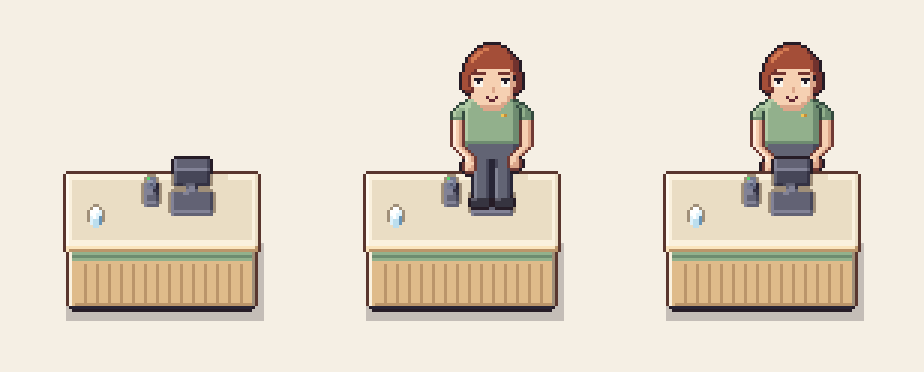
A counter is the easy case. The worker stands completely behind it, so once both sort by their floor points, plain Y-sorting gives the right picture. Seats are different.
Why chairs break Y-sorting
A seated character's floor point is inside the seat's footprint. Some parts of the seat are behind them and others are in front, and which parts depends on the way the seat faces:
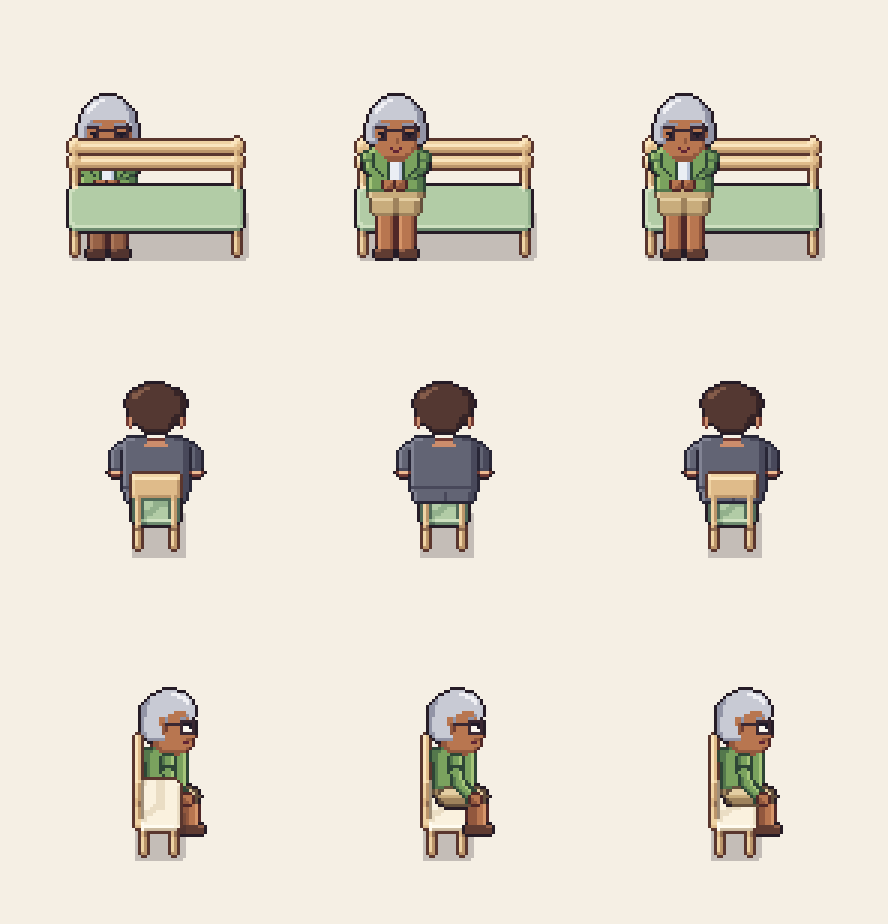
- On a bench facing the camera, the backrest is behind the sitter. The bench must be drawn first.
- On a chair facing away from the camera, the backrest is between the camera and the sitter's back. The chair must be drawn last.
- On a chair seen from the side, the near edge of the seat covers the sitter's thighs, but the backrest must not cover their arm.
A single sort value per sprite can only say "before" or "after". It cannot say "before, except for these pixels". That is why no fixed rule, such as "the sitter is always drawn after the chair", works in all four directions.
The fix: a front overlay
A front overlay is a second image of the object, the same size and drawn at the same position, that keeps only the pixels which are in front of someone using it: the seat edge of a side-facing chair, the backrest of a chair facing away, the front panel of a counter, the blanket of a bed. With it, the order for anything a character uses is always the same three steps:
- Draw the object.
- Draw the character in its pose, anchored on the object's use point (the seat point, the spot behind the counter).
- Draw the object's front overlay.
No depth buffer, no per-pixel sorting and no special cases per direction. The object and its user become one unit that sorts at the object's floor point, and the overlay decides what covers what inside that unit.
To set it up in practice:
- While a character is using an object, sort the object, the character and the overlay as one unit at the object's floor point, in a fixed order inside it: object, character, overlay. In Unity, a parent with a Sorting Group does this: the group is placed by the parent's position, and the order in layer of the three children (0, 1, 2) decides inside it. In Godot, it can be a small node with Y Sort turned off, placed under a parent that has Y Sort on, so the three sprites draw in tree order at that node's position.
- Switch to this mode on the first frame of the sit-down animation, and back to normal Y-sorting after the last frame of standing up.
- Keep one overlay per direction and per use point. A two-seat bench needs a separate overlay for each seat, because each sitter is covered by a different part.
- Match the pose to the seat height. A sitter drawn for a low chair looks like they are hovering on a bar stool. In our café pack the chairs and bench are 11 px high and the stool 13 px, and each has a matching sitting animation.
The same trick for beds and doors
Anything a character goes into rather than past needs the same treatment. A patient lying in a hospital bed is drawn after the bed and before the bed's blanket overlay, so they lie under the covers. A character walking through a doorway is drawn after the door and before the door's overlay while they are within a step of it, so the frame passes in front of them as they go through.
The same three steps also handle clothing layers. When a character wears an outfit layer, such as the Santa hats in our Christmas event post, the order becomes object, character, outfit layers, then the object's overlay. The overlay still comes last, so a hat never pokes through a chair back.
Items on counters and tables
Things that stand on a surface, such as a drink on a table or a machine on a counter, are another common sorting bug. Their picture is lifted by the surface height, so if they sort by their own position they land behind the table they stand on. Draw them right after their host instead, using the host's sort position. In our café pack, counters are 24 px high and tables 22 px; a drink is placed where a one-tile object would stand on that tile, then moved up by that height.
Checklist
- Sort characters by their feet and furniture by the front edge of its footprint.
- Wall items at the wall line, floor decals first.
- Surface items right after their host, at the host's sort position.
- For anything a character sits in, lies in, works behind or walks through: object, character, front overlay.
- One overlay per direction and per use point.
- Switch into and out of this mode on the first and last frames of the transition.
Every seat, staff spot and door in our Modern Bubble Tea Shop pack ships with its front overlays, and our Modern Hospital pack has them for its chairs, benches, beds and doors. Every overlay comes ready, matched to its object in all four directions, so you only write the three-step draw order above and spend your time on the game.
More from the blog
Vibe coding a game? Spend your tokens on code, not art
The code is the quick part now. Here is what the art for one small shop game really adds up to, and why a finished $1.99 pack beats spending your tokens on it.
Read the post
Christmas event ideas for tycoon and shop games
A practical plan for a Christmas event in a tycoon or shop game: pick a size you can ship, add mechanics that reuse your loop, and keep a decorated 32px room easy to read.
Read the post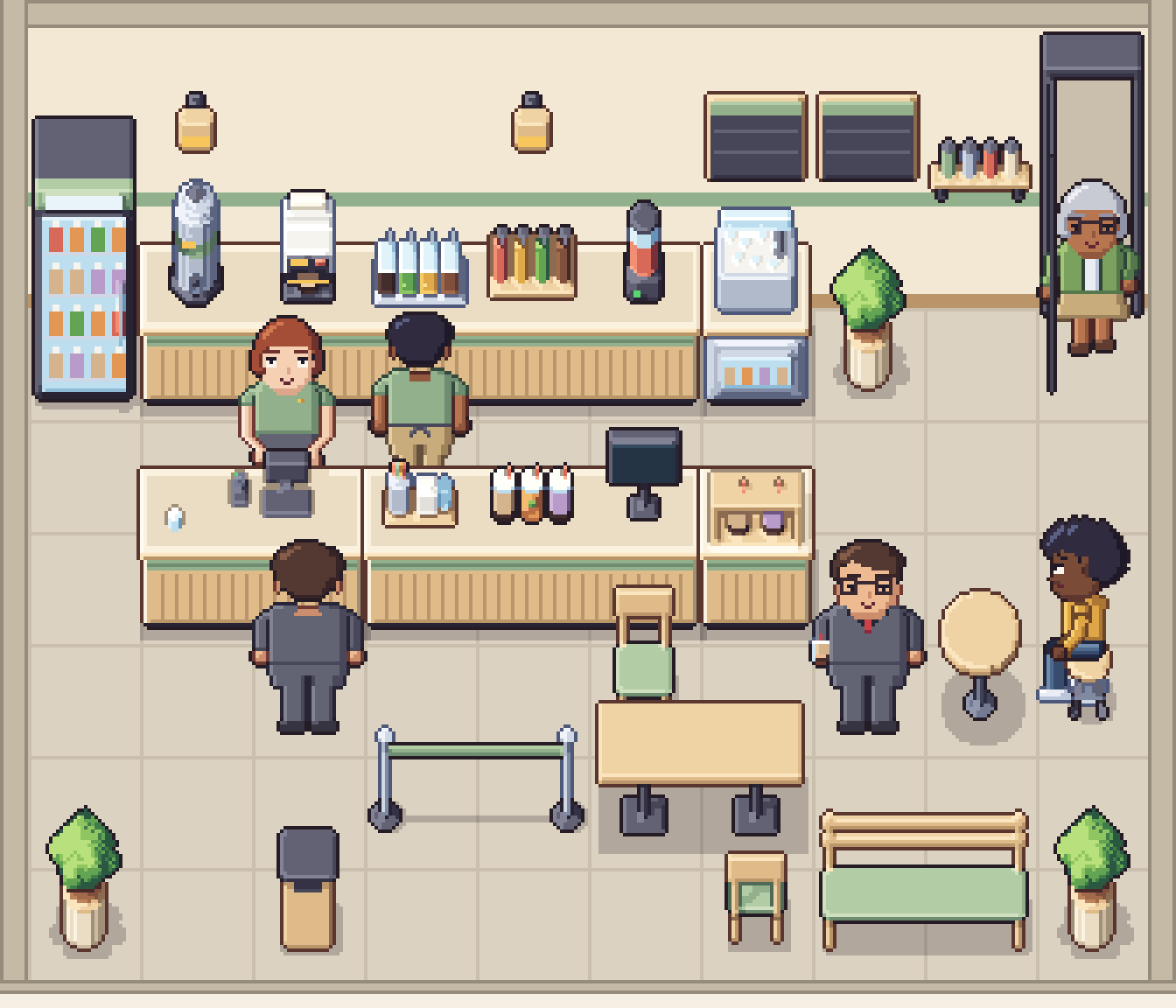
Cafe game design: the order-to-pickup customer flow
Every cafe game runs on one loop: arrive, order, wait, collect, sit, leave. How to turn that loop into states, lay the shop out as a path, and show every step without a single menu.
Read the post